Northcity
(Class ) Rechargeable mobile phone Spare parts
(Quality)
Models it is compatible with
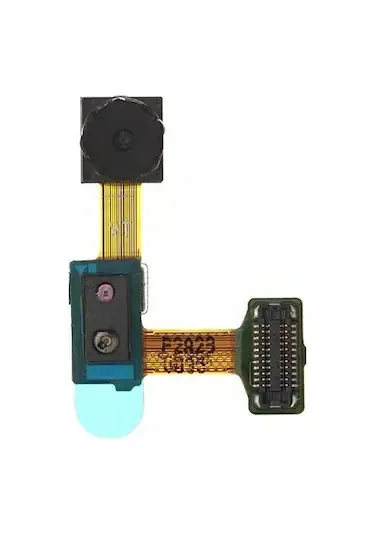
Ally Galaxy Note II N7100 Camera
✔ Shipping: Free shipping on all orders (no minimum limit). ✔ Same Day Shipping: Orders placed before 4:00 PM on weekdays are shipped the same day. ✔ 14 Days Unconditional Return: If you are not satisfied, we guarantee unconditional return and exchange within 14 days.
Frequently Asked Questions
What exactly does the camera sensor film do, and who is it suitable for?
This is a repair film designed to replace the cracked, scratched, or blurred rear camera on the Galaxy Note 2 N7100. When the sensor surface protecting the camera lens is damaged, image quality decreases; this film is the ideal solution for users who want to restore camera performance to its former glory. With Northcity's guarantee of authenticity and free shipping, you get the best value.
Which phone model should I choose in terms of compatibility?
Please make sure that the model code on the back of your device is N7100, as it is only compatible with the Samsung Galaxy Note II (N7100) model. Different Galaxy Note series devices or 9 series models may vary, so it has been developed specifically for the N7100. Choosing the wrong model may prevent the film from fitting.
What preparations should I make before applying the camera sensor to my film?
Before applying, turn off your phone completely and carefully remove the back cover to make sure the camera area is free of dust and oil. Working in a static-free environment is critical to ensure the film adheres perfectly to the surface. If the damaged sensor is to be replaced directly, make sure the condition of the existing glass does not prevent cleaning.